
Stanford XR Hackathon · AR for Snap Spectacles
Hot Chocolate
An AR keyboard for Snap Spectacles, built in 48 hours at the Stanford XR Hackathon. Look at a table, a chocolate-themed keyboard appears on it, and you play it with your fingers. No instrument and no lessons needed.
The idea · Two gestures · Try the chocolate keyboard · What I learned
Hot Chocolate AR demo, with sound. Press play, or watch on youtube.com/watch?v=jHm1j4TOQJ8 ↗
The idea
The idea: a keyboard on any table
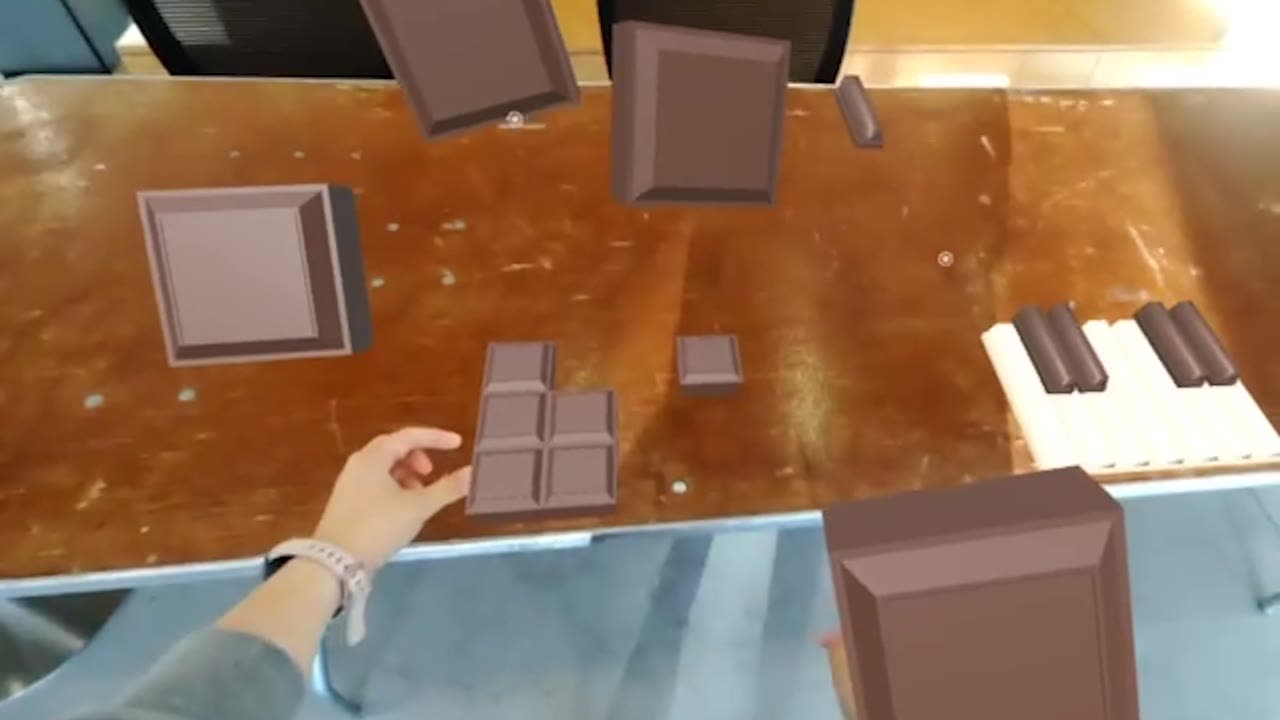
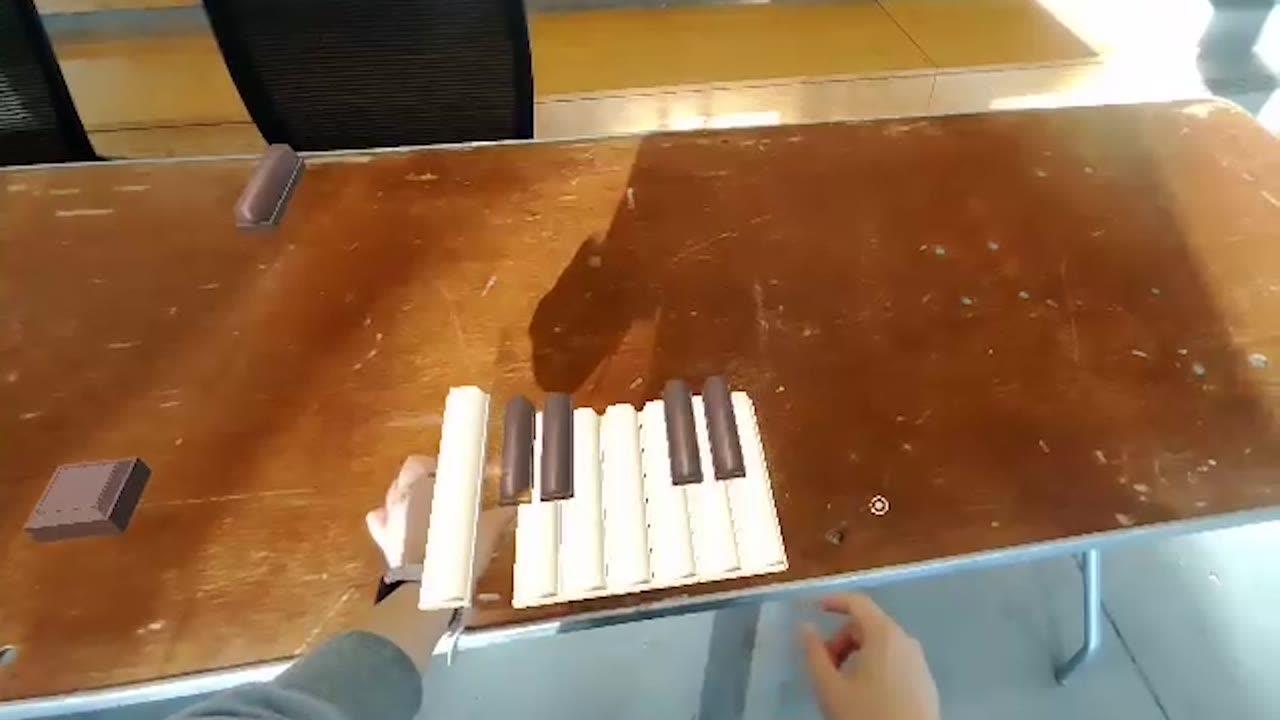
Learning an instrument usually starts with buying one, setting it up, and learning some theory, and many beginners stop there. In a 48-hour hackathon, our team set out to remove all of that. Look at a flat surface and a placement ring locks a chocolate-themed keyboard onto it: white keys and chocolate-bar black keys, sitting on the real table. Tapping a key plays its note with a small chocolate animation.
Interaction
Two gestures: pinch and tap
Once the chocolate instruments appear on a surface, the whole experience runs on two natural hand gestures, no controllers, menus, or tutorials to learn first.
Play it
Try the chocolate keyboard
A small version you can play right here, using the project's own piano and drum samples. Play the piano, then the chocolate bar below, which is a drum pad. Click or tap, or use your keyboard.
Chocolate drum pad
Piano: A S D F G H J K (white keys), W E T Y U (chocolate blacks). Drum pad: number keys 1 2 3 4 5 6 7 8 9 0 - = across the bar.
Reflection
What I learned, and what I'd test next
With 48 hours, we focused on one moment instead of a full product: placing the keyboard and hearing a note right away. With more time I would test whether people keep playing after the first try, and make hand tracking more reliable on different surfaces.
Next project
Prism Catch · Hand-tracked p5.js sketch